ATS Copilot / Chrome extension
Keeping the right job tab without overreaching
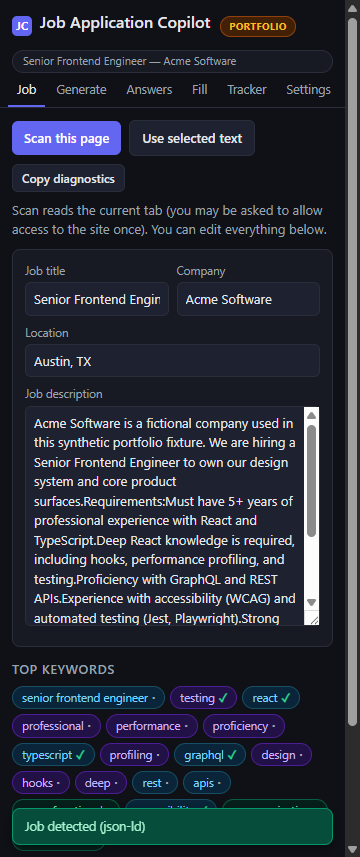
ATS Copilot helps a user inspect a job page, compare keywords, draft editable application text, and fill recognized safe fields without taking control of submission.
Release evidence
What the build actually proved.
These are release facts from synthetic fixtures and verification—not claims about customer results.
01 / signal61 / 61tests passed
02 / signal9release files
03 / signal0audit findings
04 / signalNeverauto-submits
System path
A legible input-to-output boundary.
The useful part is not the tool list. It is knowing what enters, what the deterministic core changes, and what remains available for review.
Build notes
From operational problem to verified release.
Each layer records what changed, what did not, and where a person still owns the decision.
01
CONTEXTProblem
A side-panel assistant is useful only if it reads the page the user intended. Browser focus can change between an extension-icon click and a later Scan action, creating wrong-tab failures. Broad permissions and unrestricted autofill would introduce additional privacy and safety risk.
02
BUILD LAYERSolution
The extension captures the target tab at the toolbar gesture, stores that exact target in session state, and uses it before any active-tab fallback. It extracts structured job details, calculates deterministic keyword overlap, supports user-triggered AI drafting, and fills only recognized non-sensitive fields.
03
BUILD LAYERArchitecture
Toolbar gesture → service-worker target capture → session-scoped tab state → side-panel scan → structured extractors → editable drafting and safe-field fill
Greenhouse is the primary verified scan integration. Generic and structured-data fallbacks exist but are not presented as fully supported platforms.
04
BUILD LAYERSafety boundaries
- Optional access is requested for one origin only when needed.
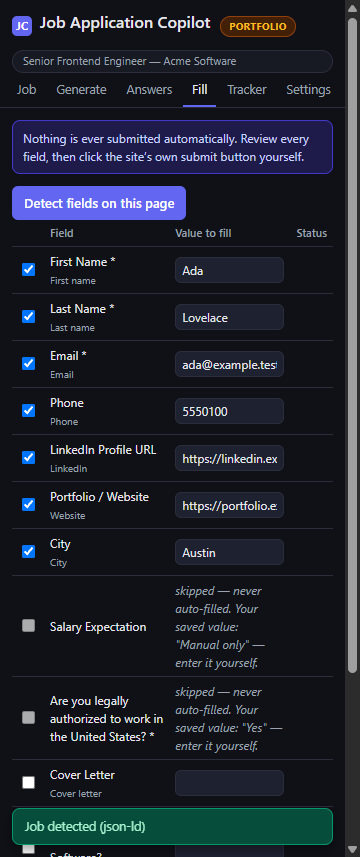
- Salary, authorization, visa, EEO, demographic, background, and unrecognized fields remain manual.
- The extension never submits an application.
- Diagnostics exclude page text, queries, email addresses, local paths, and credential-shaped values.
- Career data leaves local storage only after a user-invoked action with a selected AI provider.
05
RESULTVerified outcome
The release resolves the target-state bug at the browser permission boundary and packages the extension with tested failure states and conservative fill behavior. Live form filling, AI-provider connectivity, store submission, and universal ATS support are not claimed.
Product evidence
Real screens from the verified release.
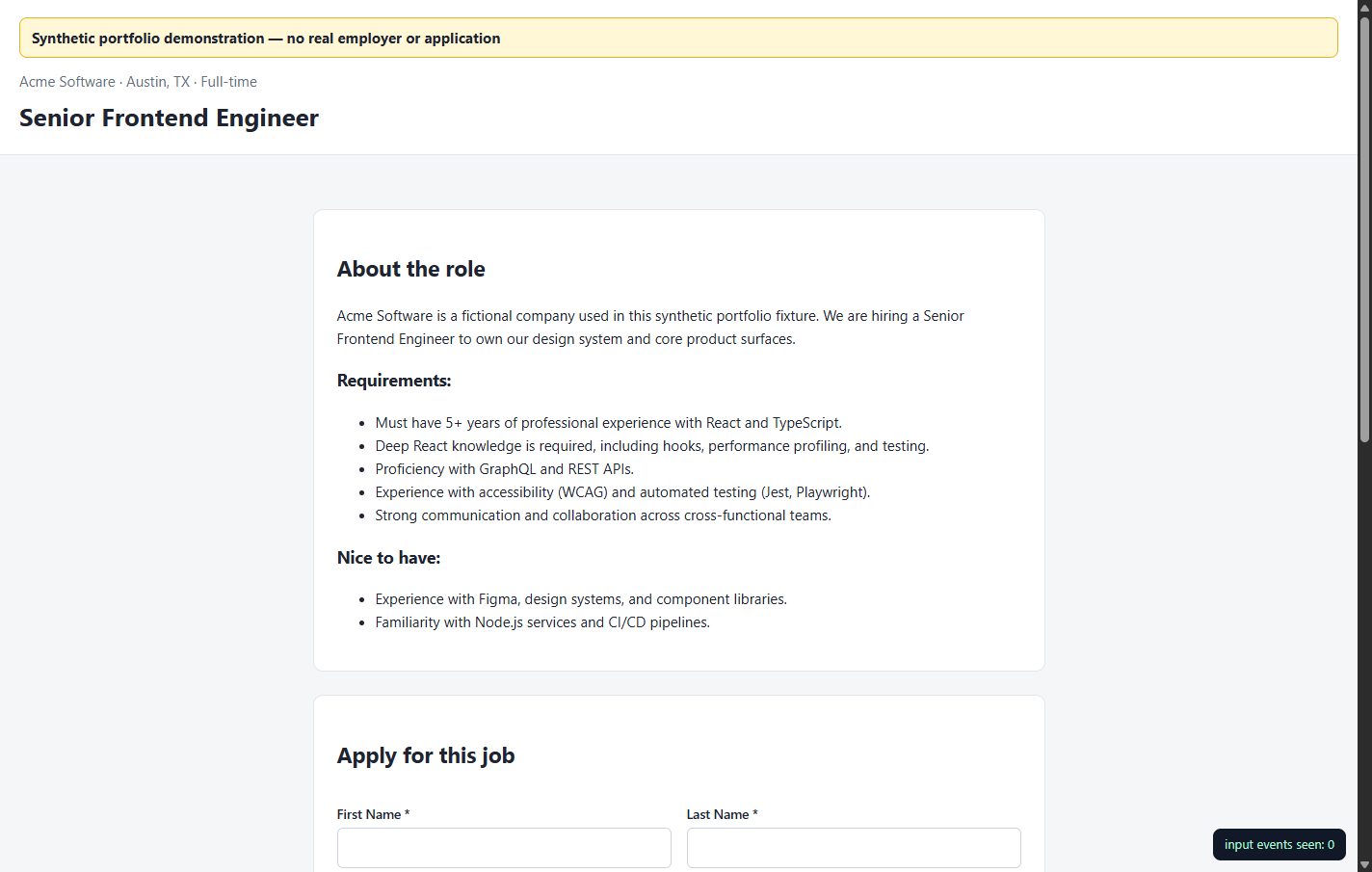
Synthetic or sanitized fixtures only. The screenshots show the review surfaces and boundaries described above.